The Dashboard
The dashboard is Needle’s home screen. It adapts to what you’re doing — showing a library overview when idle and a now-playing view when music is playing.
Layout
Section titled “Layout”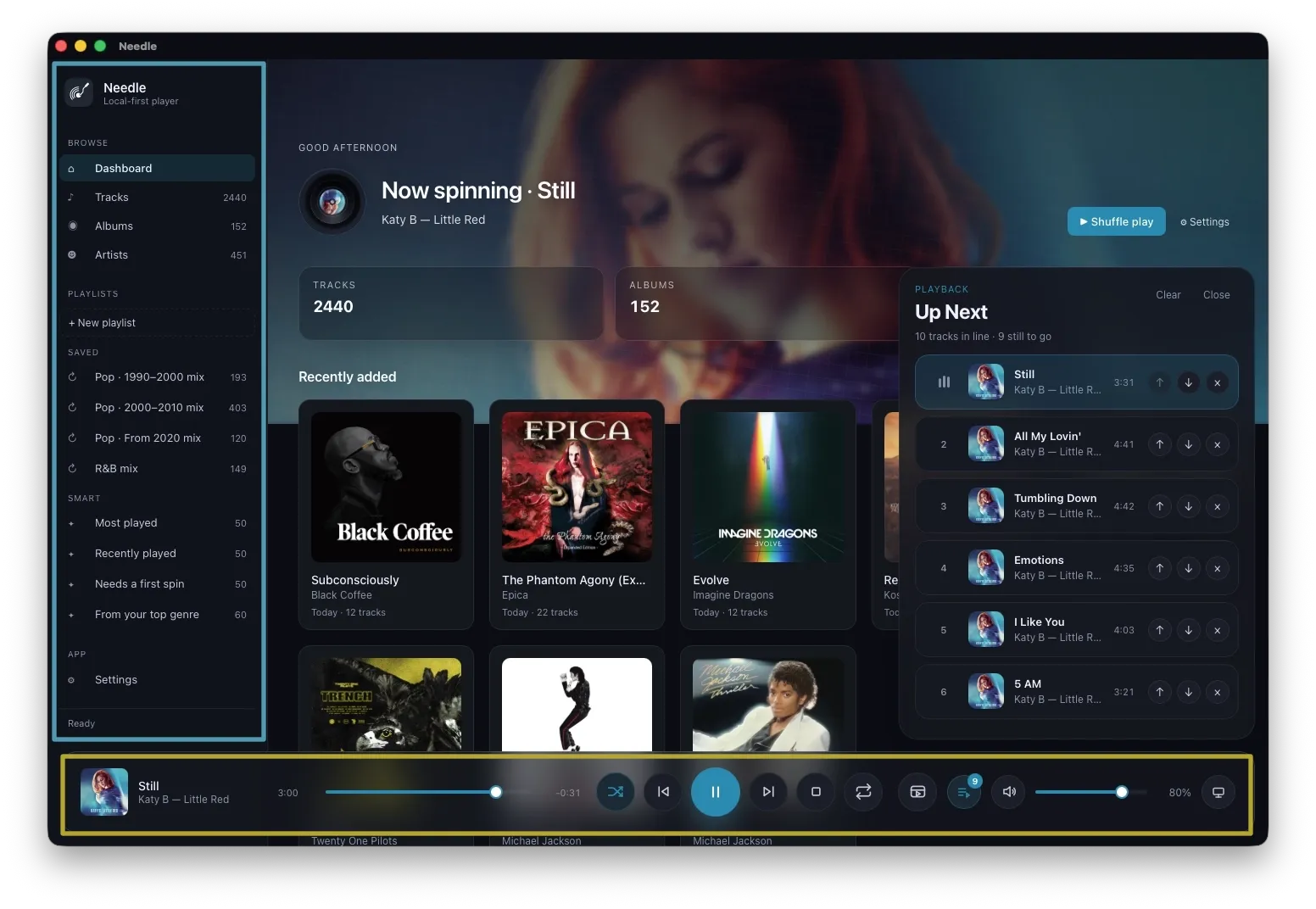
The interface is split into three areas:
- Sidebar (left) — navigate your library by Tracks, Albums, Artists, and Playlists. Smart playlists are listed here too.
- Main area (centre) — the dashboard and all browsing views.
- Playback bar (bottom) — transport controls, seek, volume, output device selection, and format info for the currently playing track.
When nothing is playing
Section titled “When nothing is playing”The idle dashboard shows:
- A time-of-day greeting with your library summary (track count, album count)
- Quick actions: Shuffle play and Add folder
- Recently added albums sorted by newest, with relative timestamps (Today, 3d ago, 2w ago…)
- From your library — recommendation rows built from your listening history and collection:
- Most played
- Recently played
- Needs a first spin
- Rediscover
- From your top genre
- Featured albums and Top artists rows
- Quick picks — random tracks playable in one click
When no album art is available, the hero area uses bundled artwork as a backdrop so the dashboard always looks complete.
When something is playing
Section titled “When something is playing”The hero area switches to a Now spinning view showing:
- Animated vinyl indicator
- Centre-label album art
- Album artwork stretched across the top dashboard band
- Track title, artist, and album
Hover to play
Section titled “Hover to play”Album cards in Recently added and Featured, artist tiles, and the Quick picks Play all button all reveal a play button on hover.